

A free resume builder does one job: turn your details into a clean, correctly structured CV without design software, templates that break, or a sign-up wall. That structure matters more than decoration — eye-tracking studies show recruiters give a resume a first scan of only a few seconds, and larger employers filter applications with software before a human looks at all. This guide shows how to build a professional CV with our free Resume Builder, what each section should contain, and how to make sure both the software and the recruiter say yes.
Build Your CV in Minutes
- Open the free Resume Builder.
- Fill in your personal details — name, professional email, phone, city.
- Add your jobs with “+ Add Experience” — one entry per role, each with its title, company, years and a description of what you achieved.
- Add your qualifications the same way under Education — one entry per degree or certification.
- Enter your skills as a simple comma-separated list.
- Generate and download the print-ready PDF. Everything is built in your browser — your personal information is never uploaded, and nothing is stored between visits, so complete it in one session and keep the downloaded file safe.
The 6 Sections Every Strong CV Needs
1. Contact details. Name (largest text on the page), a professional email — firstname.lastname@… rather than a nickname — phone number and city. A LinkedIn profile link earns its place if it is up to date.
2. Professional summary. Two or three lines at the top: who you are, your strongest experience, and the value you bring. Example: “Accounts officer with 3 years in FMCG, experienced in invoicing, reconciliation and SAP; reduced month-end closing time by two days.” Freshers can use the same space for a focused objective — degree, key skills, and the role they are targeting.
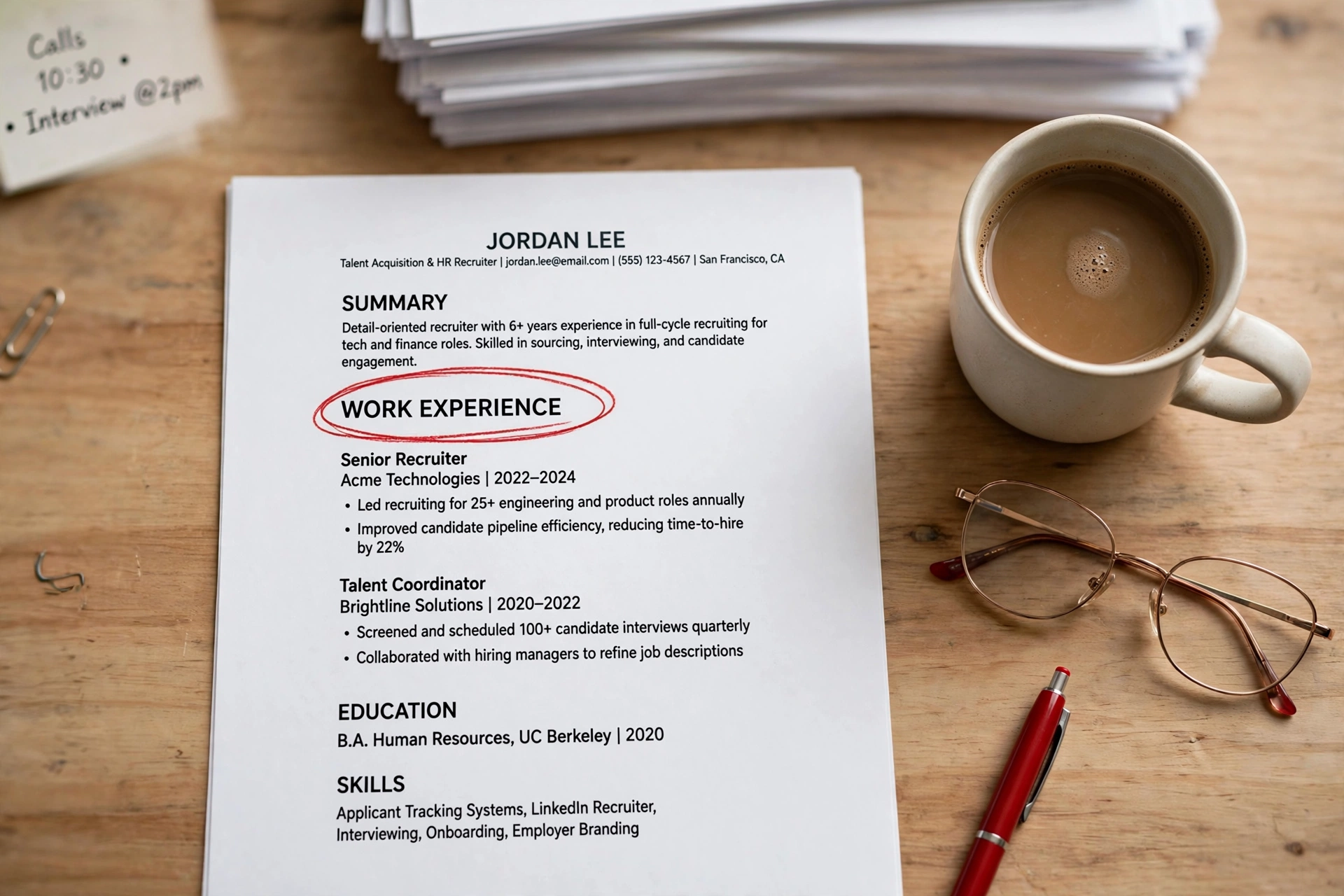
3. Work experience. Most recent first. For each role: job title, company, dates — then bullets that describe achievements, not duties. “Responsible for sales reports” becomes “Prepared weekly sales reports for 40 outlets; flagged stock gaps that cut shortages by 15%.” Numbers are what recruiters’ eyes stop on.
4. Education. Degree, institution, year — most recent first. Recent graduates may add their final-year project or relevant coursework; experienced professionals keep this section short.
5. Skills. A scannable list matched to the job advertisement: software, tools, languages, certifications. This is also the section the tracking software reads most carefully (see ATS below).
6. Optional extras. Certifications, languages (genuinely useful in Pakistan: English and Urdu, plus regional languages where relevant), and volunteer work — only while space allows.
ATS: the Software That Reads Your CV First
Many companies — and nearly all large ones — use an Applicant Tracking System (ATS) to store and search applications. Recruiters then search that database by keywords from the job description. Two practical consequences:
- Clean structure wins. The ATS has to parse your file into fields. Standard headings, a single column and no graphics, tables or text boxes mean it reads you correctly. Heavily designed resumes regularly lose content in parsing — which is exactly why our builder produces a simple, standard layout rather than a decorative one.
- Mirror the advertisement honestly. If the ad asks for “inventory management” and you have done it, those words should appear in your experience and skills. Never invent skills — the interview will find out — but do use the employer’s own vocabulary for the ones you truly have.
- Follow the format instruction. Modern systems read PDFs well; if an employer asks for Word, send Word. The file name matters too:
Ahmed-Khan-Resume.pdf, notCV-final-FINAL2.pdf.
Resume or CV — What Is the Difference?
In Pakistan the two words are used interchangeably, and employers advertising a “CV” almost always mean the one-to-two-page document this guide describes. Internationally there is a distinction: a résumé (from the French for “summary”; see Wikipedia) is the short, job-targeted document, while a CV in the US academic sense is a long, complete record used for research and faculty posts. Unless you are applying for an academic position abroad, build the short version — that is what our Resume Builder creates.
Freshers: What If I Have No Experience?
Every professional started with an empty Experience section. Fill the space honestly with what you do have: put Education first, include internships and freelance or family-business work (real work, described with real achievements), final-year and semester projects with the tools you used, and a strong skills list. A one-page fresher CV with a sharp summary and relevant projects beats a padded two-pager every time.
Should a Photo Go on the CV?
It depends where you are applying. Many Pakistani employers are used to seeing a passport-style photo and some local advertisements ask for one. For multinational companies, remote jobs abroad and ATS-driven applications, leave it out — it adds no parseable content and some employers discard photo CVs on principle. When in doubt, follow the advertisement: if it asks for a photo, include a neat, professional one; if not, the space is better spent on achievements.
7 Resume Mistakes That Cost Interviews
- Spelling and grammar errors — the fastest rejection there is. Proofread twice; our Word Counter helps you check the final text carefully.
- One generic CV for every job — ten minutes of tailoring per application beats fifty identical submissions.
- Duties instead of achievements — “worked in accounts” says nothing; add results and numbers.
- An unprofessional email address — create a clean one for applications; it takes two minutes.
- Too long — one page for early career, two at most for experienced professionals.
- Lying about qualifications, dates or skills — references and interviews expose it, and the cost is the job, not just the interview.
- A chaotic file name — your name + “Resume” is the professional standard.
Frequently Asked Questions
Is the Resume Builder really free? Yes — no sign-up, no watermark, no payment. Build and download as often as you need.
Is my personal information safe? The resume is generated entirely in your browser with JavaScript; your details are never sent to or stored on a server. Because nothing is saved between visits, finish in one session and keep the downloaded PDF.
PDF or Word — which should I send? Send what the advertisement requests. If it says nothing, PDF keeps your formatting identical on every screen and is read correctly by modern tracking systems.
How long should my CV be? One page if you are a fresher or early in your career; two pages maximum with substantial experience. If it spills to a third page, cut the oldest and least relevant content first.
Can I edit my resume later? The builder does not store your information, so a later edit means re-entering your details — keep your downloaded PDF and your source details together, and regeneration takes only a few minutes.
Final Words
A good CV is not a design contest; it is a clear, honest, keyword-aware summary of what you can do — readable by software in seconds and by a recruiter in a few seconds more. Build yours free with the Resume Builder, tailor it to each advertisement, and send it with a file name that makes you easy to file under “shortlist”.
Pingback: Random Name Generator — Business, Username & Test Name Ideas