

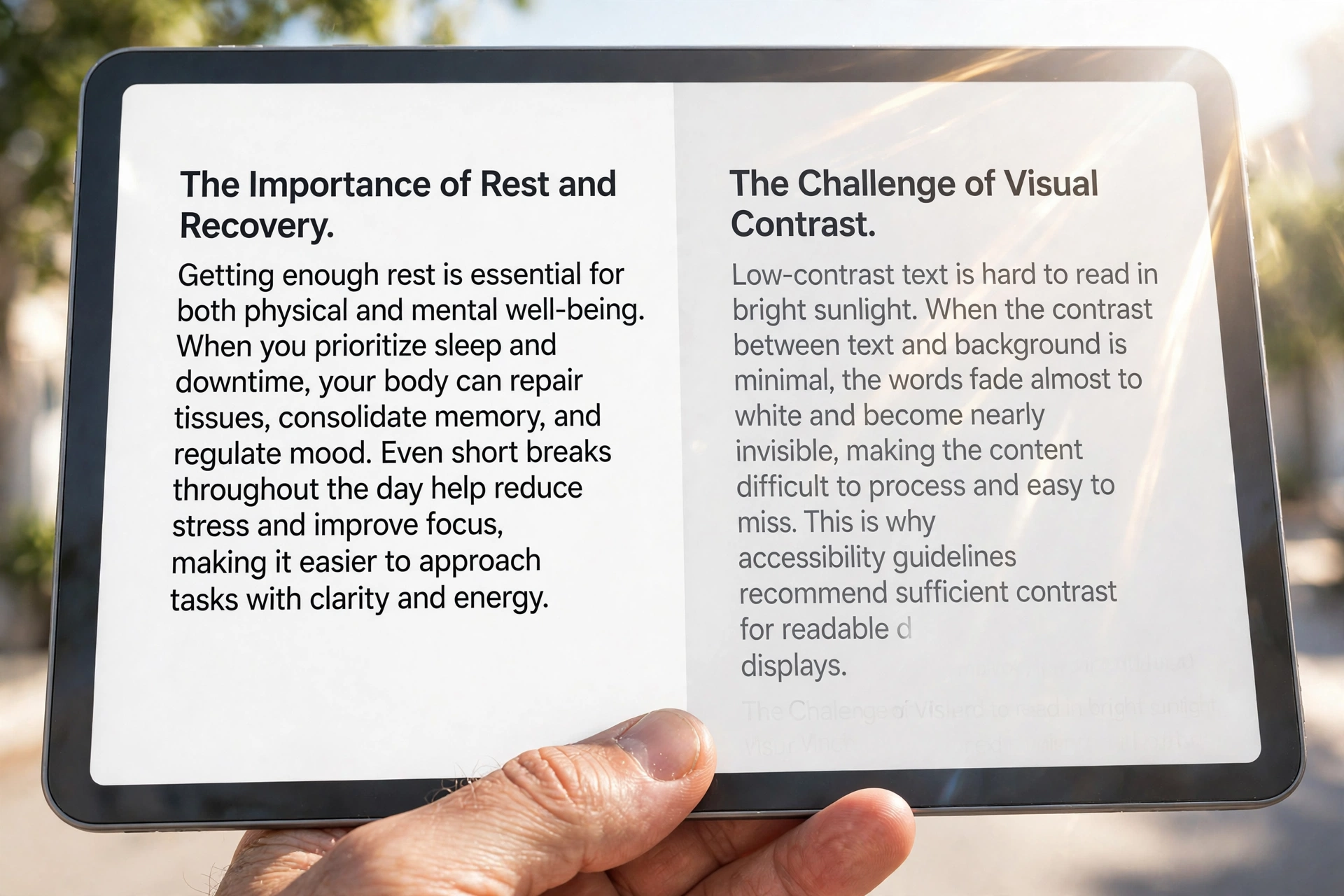
A contrast checker answers a question every website quietly fails somewhere: can people actually read this text? Light grey lettering on white looks elegant in a design mockup — and turns invisible for visitors with low vision, colour blindness, older eyes, or simply a phone screen in bright sunlight. This guide explains how the WCAG contrast ratio works, what the AA, AAA and Section 508 pass marks really are, and how to test any colour pair in seconds with our free Contrast Checker.
Check Any Colour Pair in Seconds
- Open the free Contrast Checker.
- Enter the text colour and the background colour (hex codes work — pick exact brand colours with our Colour Picker).
- Read the contrast ratio and the pass/fail verdicts for WCAG AA and AAA, for both normal and large text.
- If a pair fails, nudge the text colour darker (or the background lighter) and re-check — one small step often flips a fail to a pass, as the examples below show. The calculation runs in your browser; nothing is uploaded.
What Is a Contrast Ratio?
The contrast ratio compares the brightness of two colours using relative luminance — a measure of how bright a colour appears to the human eye, defined by the Web Content Accessibility Guidelines (WCAG). The ratio runs from 1:1 (identical colours — completely unreadable) to 21:1 (pure black on pure white — the maximum possible). Because the formula works on luminance rather than hue, a pair can be vividly different in colour and still fail: bright gold and white look nothing alike, yet their contrast is only 1.4:1.
The Pass Marks: AA, AAA and Large Text
| Level | Normal text | Large text |
|---|---|---|
| WCAG AA (the standard target) | 4.5:1 | 3:1 |
| WCAG AAA (the strict level) | 7:1 | 4.5:1 |
Large text means at least 18pt (24px), or at least 14pt (about 18.5px) if bold — bigger letterforms stay readable at lower contrast. One more rule from WCAG 2.1: essential non-text elements — button outlines, input borders, icons, chart lines — need at least 3:1 against neighbouring colours, because users must be able to see the control exists.
Real Colour Pairs, Real Verdicts
Every ratio below was computed with the official WCAG formula:
| Text on background | Ratio | Verdict |
|---|---|---|
| Black #000000 on white | 21:1 | Passes everything |
| Charcoal #333333 on white | 12.63:1 | Passes AAA — and easier on the eyes than pure black |
| Grey #595959 on white | 7:1 | Passes AAA exactly |
| Grey #767676 on white | 4.54:1 | The lightest grey that still passes AA |
| Grey #777777 on white | 4.48:1 | Fails AA — one hex step lighter than #767676! |
| Pure red #FF0000 on white | 4:1 | Fails AA for normal text (passes only as large text) |
| Gold #FFD700 on white | 1.4:1 | Fails everything — decorative use only |
The #767676 / #777777 pair is the whole lesson in one row: the difference between pass and fail can be a change nobody can see. Never judge contrast by eye — measure it.
Why “508” Appears in Contrast Searches
Section 508 is the US federal accessibility law, and it adopts WCAG A and AA as its technical standard — so US government sites, and any organisation selling digital products to the federal sector, must meet the AA ratios above. Similar rules echo worldwide: US public-entity websites are being aligned to WCAG 2.1 AA under the ADA, and Europe’s EN 301 549 standard likewise references WCAG AA. In practice it is one global target: if your text passes AA in the Contrast Checker, you meet the contrast requirement behind all of them.
Colour Blindness: Contrast Is Not the Whole Story
Roughly 1 in 12 men and 1 in 200 women have some form of colour-vision deficiency. Two rules keep them in the audience: first, the ratio is about brightness, not hue — red and green text of equal luminance can be indistinguishable to some readers even though they look opposite to you. Second, WCAG requires that colour never be the only carrier of information: a form error shown only by turning a field red, or a chart explained only by its colours, fails people the ratio cannot help. Add an icon, a label or an underline as a second signal.
Gradients, Photos and Other Hard Cases
- Gradient backgrounds: check the text against the lightest (or darkest) point behind the actual words — the average is meaningless. Building one? Our Gradient Generator plus this checker make a good pair.
- Text over photos: the photo’s content decides. Add a dark overlay or a solid panel behind the text, then test against the lightest part of the image.
- Placeholder text in form fields counts as real text — pale grey placeholders are a classic AA failure.
- Logos and brand marks are exempt from the ratio rules, and so are genuinely inactive (disabled) controls — everything else is fair game.
How to Fix a Failing Pair
- Darken the text or lighten the background in small steps — near the 4.5:1 border, one or two hex steps usually suffice (remember #777777 → #767676).
- Make it genuinely large — at 24px, or 18.5px bold, the bar drops to 3:1. Weight alone at small sizes does not change the requirement.
- Swap which colour is the text. White text on a strong brand colour often passes where the brand colour on white failed.
- Add a backing panel or overlay behind text on images instead of fighting the photo.
- Re-check the final pair — and check hover and focus states too, not just the resting state.
Frequently Asked Questions
What is a good contrast ratio for a website? Aim for at least 4.5:1 for body text (WCAG AA). Headings and large text can go to 3:1, and 7:1 (AAA) is a comfortable target for long reading content.
Is black on white always the best choice? It is the maximum ratio (21:1), but many readers find pure black harsh; an off-black like #333333 still delivers 12.63:1 — far beyond AAA — with a softer feel.
Do links need to pass contrast too? Yes, link text is text. And if links are identified by colour alone, the link colour also needs 3:1 against the surrounding body text — underlining links removes that problem entirely.
What about text in images and banners? The same ratios apply to text baked into images. Better practice: use real text over a controlled background wherever possible.
Does a contrast checker guarantee full accessibility? No — contrast is one requirement among many (keyboard access, alt text, focus visibility and more). But it is the most commonly failed one in automated audits, and the easiest to fix.
Final Words
Readable is not a style preference; it is the difference between content that exists and content that lands. Pick your colours, run them through the free Contrast Checker, and fix the borderline pairs before your visitors meet them in sunlight — one hex step is often all it takes.