
A CSS minifier is a tool that removes comments, whitespace and line breaks from CSS code, making the file smaller and faster to load — without changing anything the code does. This guide explains exactly what minification removes, shows a measured before-and-after example (934 bytes shrunk to 489), walks through how to minify CSS online for free, and covers the few cases where minifying needs a little care.
What Is a CSS Minifier?
CSS minification is the process of removing every character a browser does not need from a stylesheet: the comments developers write for each other, the indentation and line breaks that make code readable, and the spaces around punctuation. The minified file renders identically to the original — it is simply written in the most compact form the CSS language allows. You can minify any stylesheet in seconds with ToolHost’s free CSS Minifier: paste your CSS in, and the compact version comes out, entirely in your browser.
Minified CSS is the normal state of production websites. Developers write and edit the spacious, commented version, then minify it as the last step before the file goes live — the same write-readable, ship-compact pattern used for JavaScript and HTML (see the related idea of percent-encoding in our URL encoder guide: machines prefer compact forms, humans prefer readable ones).
What Does a CSS Minifier Remove?
Four categories of characters account for nearly all the savings:
| What gets removed | Example | Why removing it is safe |
|---|---|---|
| Comments | /* Header styles */ | Browsers ignore comments completely; they exist only for developers. |
| Line breaks & indentation | Each rule on its own indented lines | CSS does not use line breaks to separate statements — the braces do that. |
| Spaces around punctuation | margin : 0 auto ; → margin:0 auto | Spaces next to { } : ; , are optional in CSS syntax. |
| The final semicolon in a block | color: red; } → color:red} | The closing brace already ends the last declaration. |
One kind of space is never removed: the spaces between values, such as in padding: 16px 24px or margin: 0 auto. Those spaces carry meaning, and a correct minifier keeps them — which is why minified CSS works exactly like the original.
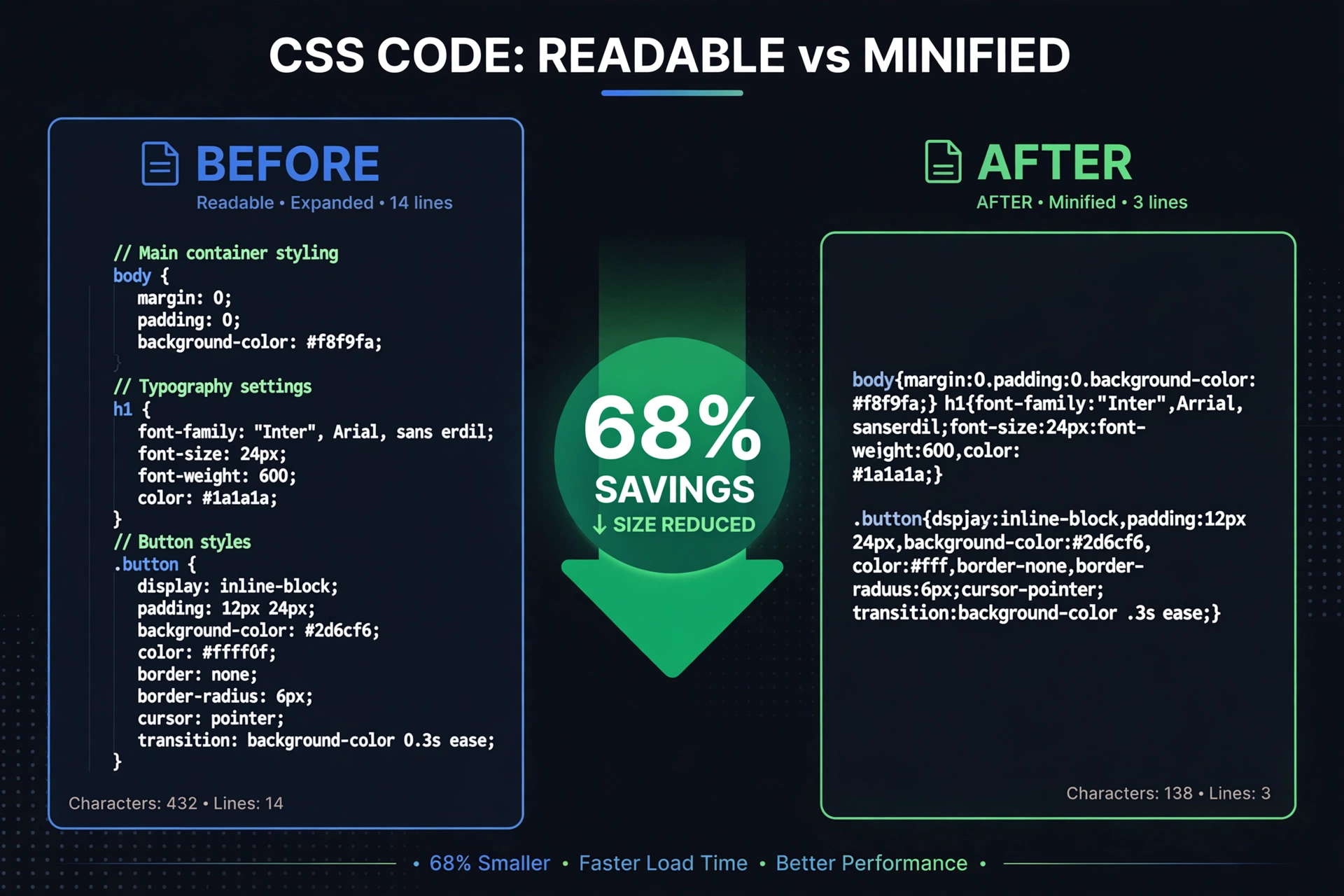
A Real Example: 934 Bytes → 489 Bytes (47.6% Smaller)
Here is a small stylesheet for a navigation bar, tool cards and a button — 934 bytes as written, comments and all:
/* ============================================
   ToolHost demo stylesheet — header & cards
   ============================================ */

/* Main navigation bar */
.navbar {
    background-color: #1a1a2e;
    padding: 16px 24px;
    display: flex;
    justify-content: space-between;
    align-items: center;
}

/* Navigation links */
.navbar a {
    color: #ffffff;
    text-decoration: none;
    margin-left: 20px;
    font-size: 16px;
}

/* Tool card on the homepage grid */
.tool-card {
    background: #ffffff;
    border: 1px solid #e5e7eb;
    border-radius: 12px;
    padding: 24px;
    box-shadow: 0 2px 8px rgba(0, 0, 0, 0.08);
}

/* Card heading */
.tool-card h3 {
    margin: 0 0 8px 0;
    font-size: 20px;
    color: #111827;
}

/* Call-to-action button */
.cta-button {
    background-color: #2563eb;
    color: #ffffff;
    padding: 12px 28px;
    border-radius: 8px;
    border: none;
    cursor: pointer;
}
And here is the exact same stylesheet after minification — 489 bytes:
.navbar{background-color:#1a1a2e;padding:16px 24px;display:flex;justify-content:space-between;align-items:center}.navbar a{color:#ffffff;text-decoration:none;margin-left:20px;font-size:16px}.tool-card{background:#ffffff;border:1px solid #e5e7eb;border-radius:12px;padding:24px;box-shadow:0 2px 8px rgba(0,0,0,0.08)}.tool-card h3{margin:0 0 8px 0;font-size:20px;color:#111827}.cta-button{background-color:#2563eb;color:#ffffff;padding:12px 28px;border-radius:8px;border:none;cursor:pointer}In this measured example, minification removed 445 of 934 bytes — a 47.6% reduction — because the source file was comment-heavy. Leaner production files with few comments typically save 15–35%. Either way the saving is free: the browser downloads less, parses sooner, and can start painting the page earlier.
How to Minify CSS Online (Free)
Minifying a stylesheet with the CSS Minifier takes under a minute:
- Copy your CSS — from your stylesheet file, a page’s
<style>block, or a framework file you want to slim down. - Paste it into the tool’s input box. The tool runs entirely in your browser — your code is never uploaded to a server.
- Click Minify and the compact version appears in the output box, with the comments and formatting stripped.
- Copy the minified CSS and save it as your production file (the convention is
style.min.css). - Keep your original file untouched as the source you edit in future — never edit the minified version by hand.
The same approach works for markup: ToolHost’s HTML Minifier strips comments and whitespace from HTML, and the JSON Formatter can minify JSON the same way.
Does Minifying CSS Break Your Site?
No — for well-formed, standard CSS, minification does not change how the code is parsed or rendered. The transformations only remove characters that carry no meaning for the browser. Three habits keep it completely safe:
- Always keep the unminified source. Minified CSS is painful to edit (as the example above shows), so the readable file stays your master copy — this is the CSS Minifier’s own advice too.
- Mind
calc(). The spaces around+and−insidecalc()are required by the CSS specification; proper minifiers preserve them, but if your stylesheet leans heavily oncalc(), spot-check the output once. - Load the page once after deploying. A ten-second visual check confirms the minified file is being served and styled correctly.
Minification vs Compression: Not the Same Thing
Minification is often confused with server compression (gzip or Brotli), but they solve different problems — and they stack:
| Minification | Compression (gzip / Brotli) | |
|---|---|---|
| What it does | Rewrites the file in a permanently smaller form | Squeezes the file for transfer, restored by the browser |
| When it happens | Once, when you produce the file | On every download, at the server |
| Result | Smaller file stored on disk | Same file, smaller on the wire |
A minified file compresses further than an unminified one, so the fastest setup is both: minify first, then let the server compress. Minification as a practice sits alongside the same technique for JavaScript and HTML in every standard web-performance checklist.
When Should You Minify CSS?
Minify every stylesheet your live site serves, and never bother while developing. Page speed feeds into Google’s page-experience signals (including Core Web Vitals), so a smaller stylesheet is a small but real contribution to how a page performs — and on slow mobile connections, hundreds of saved kilobytes across CSS and JS are the difference between a page that appears and a page that gets abandoned. The CSS you generate with design tools benefits too: output from the Gradient Generator or Box-Shadow Generator drops straight into a stylesheet that will eventually be minified for production.
Frequently Asked Questions
What is minified CSS?
Minified CSS is a stylesheet with its comments, indentation, line breaks and unnecessary spaces removed. It renders exactly like the original file but is smaller — in the measured example above, 489 bytes instead of 934.
How much smaller does minified CSS get?
It depends on how the source was written: the comment-heavy example in this guide shrank by 47.6%, while lean files with few comments typically save 15–35%.
Is it safe to minify CSS?
Yes, for standard well-formed CSS. The removed characters do not affect parsing. Keep your unminified file as the editable source, and glance at the page once after deploying the minified version.
Can I minify CSS by hand?
You could, but there is no reason to: a CSS minifier does it instantly and without the risk of deleting a space that mattered.
Does minifying CSS help SEO?
Indirectly. Minification is not a ranking switch, but a smaller CSS file loads and renders faster, and page experience — including Core Web Vitals — is one of Google’s ranking inputs. Faster pages also lose fewer visitors before the content appears.
Readable code is for you; compact code is for your visitors. Keep both: write the commented version, then run it through the free CSS Minifier before it goes live — same styles, roughly half the weight.