
To split a PDF online free, upload your PDF, enter the From and To page numbers of the range you want, and click “Extract Pages & Download” — a new PDF containing only those pages downloads to your device. ToolHost’s free PDF Splitter does exactly this: everything runs in your browser with the open-source pdf-lib library, your file is never uploaded to a server, and there is no sign-up or software to install.
How to Split a PDF, Step by Step
- Open the free PDF Splitter. It runs entirely in your browser — the file you pick never leaves your device.
- Upload your PDF. Click the file picker and choose the document. The tool loads it and shows the total page count, so you always know exactly which pages exist.
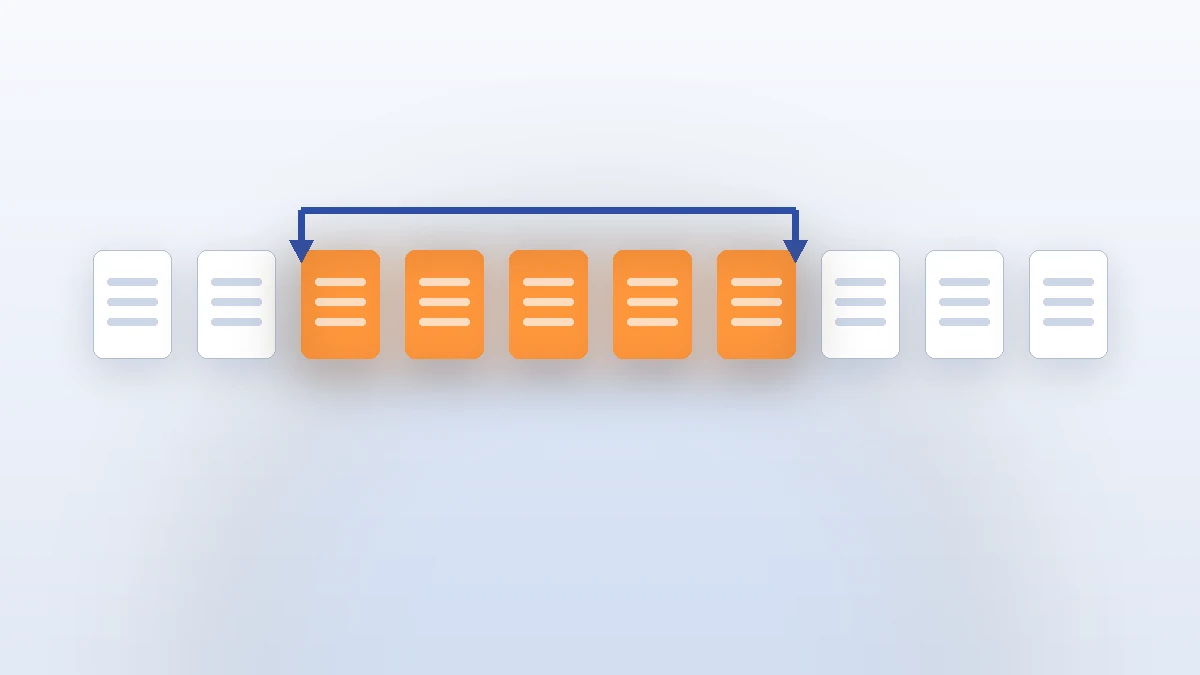
- Enter the From and To page numbers. These two small number boxes accept a single continuous range — for example, From 3 To 7 gives you a 5-page PDF of pages 3, 4, 5, 6 and 7. Both boxes cap at the document’s total page count, and an alert warns you if the range is invalid.
- Click “Extract Pages & Download”. The tool copies those pages into a brand-new PDF and downloads it immediately. The original file is untouched.
That is the whole process — no queues, no accounts, no watermarks. The extraction is done by JavaScript running on your own computer, which is also why it works offline once the page has loaded.
Choosing the Right Range: Common Recipes
Most people split PDFs for a handful of recurring reasons. Here are the exact ranges to type for each:
| What you need | Example range | Result |
|---|---|---|
| The signature page of a long contract | From last page To last page | A 1-page PDF of just the signed page |
| One chapter from an e-book or manual | From first chapter page To last chapter page | A PDF containing only that chapter |
| The cover page to remove before sharing | From 2 To last page | The document without its cover sheet |
| A section of a long report | From 12 To 15 (of 40) | A 4-page excerpt, easy to email |
| Pages to print or read on a phone | From/To of just the pages you need | A small file instead of a 200-page download |
A practical habit: glance at the document first and note the exact page numbers of what you want. Splitting the wrong range costs you a retry, so a 30-second skim of the page numbers up front saves real time.
What This Tool Does Not Do (Honest Limitations)
- One continuous range per download. This is the big one to know. The tool extracts a single From→To range each time — you cannot grab pages 3–5 and 12–15 in one click. The workaround is simple: run the tool once for each range, then combine the resulting files with our PDF Merger guide. Two minutes of work for an exact set of pages.
- No password-protected PDFs. Encrypted or locked PDFs must be unlocked first in a PDF reader (you need the actual password), then split. This is a security feature, not a bug — the tool refuses to bypass encryption.
- No rearranging or reordering. Splitting keeps the pages in their original order. If you need pages in a new order, extract the ranges you want and merge them in your chosen sequence.
Knowing these limits up front keeps the tool honest — and for the common case (one range, one document) there is nothing faster.
How the Options Compare
| Option | File uploaded to a server? | Account needed | Cost | Best for |
|---|---|---|---|---|
| Browser-based splitter (this tool) | No — extraction happens on your device | No | Free | Quick one-range extractions, private documents |
| Desktop PDF software | No | Sometimes (license) | Paid or limited free | Power users who split daily, batch splitting |
| Big online PDF sites | Yes — your document goes to their servers | Often | Free tier, then paid | Non-sensitive files when you need many features in one place |
The privacy column is where this tool wins outright: a contract, a medical report or a company document never leaves your machine. For sensitive files that alone settles the choice.
Frequently Asked Questions
Is it safe to split a confidential PDF with an online tool?
With this one, yes — the entire extraction runs in your browser via a client-side JavaScript library. The file is never transmitted to any server, so nobody can see, store or leak it.
Can I extract multiple separate page ranges at once?
Not in one download — the tool extracts one continuous range per run. For non-consecutive pages, run it once per range and merge the results with the PDF Merger.
Will this work on a password-protected PDF?
No. Locked or encrypted PDFs must be unlocked with their password in a PDF reader first — the tool will not open them.
What happens if I type a range beyond the last page?
The From and To boxes are capped at the document’s total page count, and an invalid range triggers an alert before anything is extracted — you cannot accidentally produce a broken file.
Does splitting change the quality of the pages?
No. Pages are copied into the new PDF as they are — the text, images and layout keep their original quality.
Extract Your Pages Now
You now know the four-step process, the exact ranges for common jobs, and the honest limits (one range per download, no locked PDFs). Open the free PDF Splitter, upload your file, set your From and To pages, and download your new PDF — in seconds, with the original file untouched and nothing uploaded anywhere.
Pingback: Convert PDF to Image Online Free — PDF Pages to PNG in Seconds