
To generate a barcode online free, type your text or number into a generator, pick the format (CODE128, EAN-13, UPC, or CODE39), and download the result as a PNG. ToolHost’s free barcode generator does exactly this in your browser — nothing is uploaded anywhere. The one thing to know before you start: a barcode generated online is correctly formatted and scannable, but if you plan to sell on Amazon or in retail stores, you need a GS1-registered barcode — the tool page’s own FAQ says this plainly, and this guide explains why it matters.
How to Generate a Barcode, Step by Step
- Open the free barcode generator.
- Enter your text or number. CODE128 accepts letters, numbers, and symbols; EAN-13 needs exactly 13 digits.
- Pick the barcode type. CODE128 is the safe default for general use; EAN-13 for retail-style codes; UPC for 12-digit North American formats; CODE39 for older inventory systems.
- Download as PNG. The barcode is generated entirely in your browser using a client-side JavaScript library — the tool page confirms nothing is sent to a server.
That is the whole workflow: value in, format selected, barcode out. The image you download is a real, scannable barcode you can print on labels.
Which Barcode Format Should You Pick?
This is where most people go wrong, so the tool page gives the choice explicitly. The table below matches each format to the job it fits.
| Format | Input rules | Best for |
|---|---|---|
| CODE128 | Letters, numbers, and many symbols — most flexible | Internal inventory labels, asset tags, library books, personal cataloging, testing scanner software |
| EAN-13 | Exactly 13 digits — strict | Retail-style product codes (but read the GS1 warning below before selling) |
| UPC | Exactly 12 digits — strict | 12-digit formats mainly used in US and Canadian retail systems |
| CODE39 | Alphanumeric, older and simpler | Legacy inventory and logistics systems that still read it |
When in doubt, CODE128 is the format to reach for. The tool page calls it “the most flexible format” and “a safe default for general use” — if your data mixes letters and numbers, or you simply want something that scans reliably without format anxiety, CODE128 will not fail you.
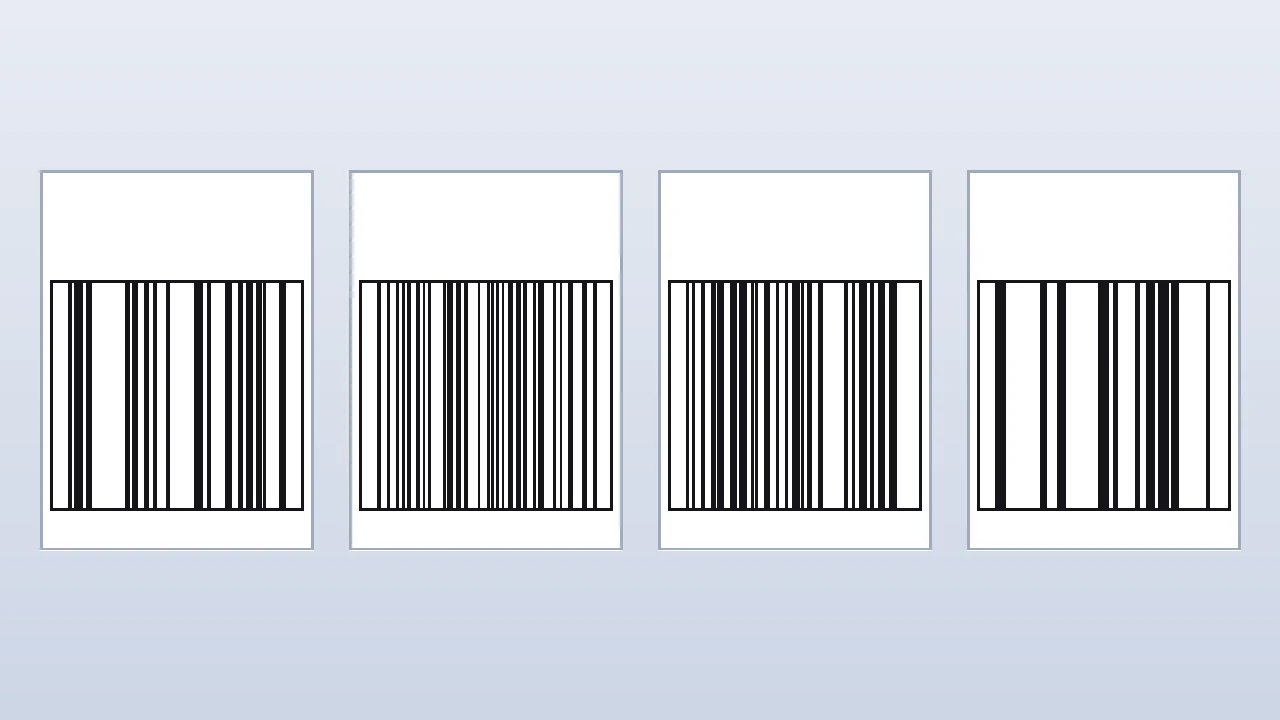
The Retail Truth: Generated Barcodes vs GS1 Barcodes (Read This First)
Here is the critical honesty point, and it comes straight from the tool page’s FAQ: “Can I use a generated EAN-13 barcode to sell a product on Amazon or in retail stores? No.”
Official retail barcodes need to be purchased and registered through GS1, the organization that issues legitimate, globally unique product codes. A barcode generated here is “correctly formatted and scannable,” but it is not a registered, legally unique product identifier for commercial retail use. Here is the myth-buster:
| Myth | Fact |
|---|---|
| A generated barcode is fine for an Amazon listing | ✗ Amazon and major marketplaces check for valid, registered codes — a GS1-issued number is required |
| “Scannable” means “retail-ready” | ✗ Scanning and legal uniqueness are different things; your phone scanning it does not make it a registered product code |
| Free barcodes are globally unique | ✗ Only GS1 guarantees global uniqueness — anyone can generate the same unregistered digits |
| I need GS1 for warehouse labels | ✗ For internal inventory labels that never go to retail, a generated CODE128 barcode is exactly right |
GS1 is the global standards body behind barcodes — you can read about the system at gs1.org. For internal use (your warehouse shelves, your asset tags, your school project), the generator is the right tool. For anything sold to the public, budget for a real GS1 prefix.
Where a Free Barcode Generator Is Useful
The tool page lists the jobs this fits, and they all share one trait: the barcode is used inside your own system, not sold to the world.
- Internal inventory labels for a small business or warehouse that does not need official retail-registered barcodes.
- School or training projects on point-of-sale systems or inventory management — a sample product barcode makes the demo real.
- Asset tags and library books — scannable labels for things you own and track.
- Testing barcode scanner apps or software during development without needing a physical product on hand.
Naming the items you are labeling works well with our Random Name Generator guide — a small business labeling workflow often starts with a list of product or asset names.
Barcode vs QR Code: Which One Do You Need?
This article’s natural sibling is our QR Code Generator guide, and the choice between them comes down to how much data you need to store:
- Barcodes are 1D — they encode a short string (a product number, an ID) in vertical stripes. They are fast to scan with simple hardware and are still the standard where IDs are short.
- QR codes are 2D — they hold URLs, Wi-Fi credentials, contact cards, and much longer text. If the thing you are encoding is more than a short code, use a QR code instead.
Rule of thumb: short ID for your own labels → barcode. Anything a customer needs to read with a phone → QR code.
Why Did My Barcode Not Generate? (Troubleshooting)
The most common failure comes from the strict formats, and the tool page explains exactly why: EAN-13 needs exactly 13 digits and UPC needs exactly 12 digits. Enter the wrong number of digits — or any non-numeric character for these formats — and generation fails.
| Problem | Fix |
|---|---|
| EAN-13 fails to generate | Check the digits: exactly 13, numbers only |
| UPC fails to generate | Check the digits: exactly 12, numbers only |
| You need letters or symbols | Switch to CODE128 — it accepts them |
| You are unsure which format | Switch to CODE128 — the flexible default |
Frequently Asked Questions
Is a free online barcode generator safe for my product data? Yes, on this tool. The page states the barcode is “generated entirely in your browser using a client-side JavaScript library; nothing is sent to a server.” Your input never leaves your device.
Can I use a generated EAN-13 to sell on Amazon? No. The tool page’s FAQ is explicit: official retail barcodes must be purchased and registered through GS1. A generated barcode is correctly formatted and scannable, but not a legally unique product identifier for commercial retail.
What is the difference between CODE128 and EAN-13? CODE128 accepts letters, numbers, and many symbols — flexible and forgiving. EAN-13 is strictly 13 digits and is the worldwide retail product standard. For general labeling, CODE128 is the safe default; for retail product codes you need a GS1-registered EAN-13.
Why won’t my EAN-13 generate? It needs exactly 13 digits. Wrong digit counts or non-numeric characters make generation fail. Count your digits, or switch to CODE128 for flexible input.
Should I use a barcode or a QR code for product labels? For short internal IDs, a barcode (CODE128) is simplest. For anything a customer scans with a phone — a link, instructions, a vCard — our QR Code Generator guide covers the better option.
Generate Your Barcode Now
You now know the workflow, which format fits which job, the GS1 retail truth, and the digit rules that cause most failures. Open the free barcode generator and print your first scannable label in seconds — with honest expectations about where that barcode belongs.