
A random name generator is a tool that creates names automatically by combining words from prepared lists — first names with last names, distinctive words with business suffixes, or adjectives with nouns and numbers. ToolHost’s free Random Name Generator makes four kinds of names — male full names, female full names, business names and usernames — between 1 and 20 at a time, entirely in your browser.
What Is a Random Name Generator?
A random name generator builds plausible names from parts instead of inventing them from nothing. Because the parts come from curated lists of real first names, surnames and common words, the results sound natural even though no real person or company is being copied. Nothing you generate is stored or sent anywhere — the combinations are made by JavaScript in your browser and forgotten when you close the page.
The Four Name Types, Explained
| Type | How it is built | Best for |
|---|---|---|
| Male Full Name | A random first name + a random last name | Sample users, test accounts, characters |
| Female Full Name | A random first name + a random last name | Sample users, test accounts, characters |
| Business Name | A distinctive word + a common suffix like “Ventures” or “Solutions” | Startup and product brainstorming |
| Random Username | An adjective + a noun + a number | Handles for new accounts and profiles |
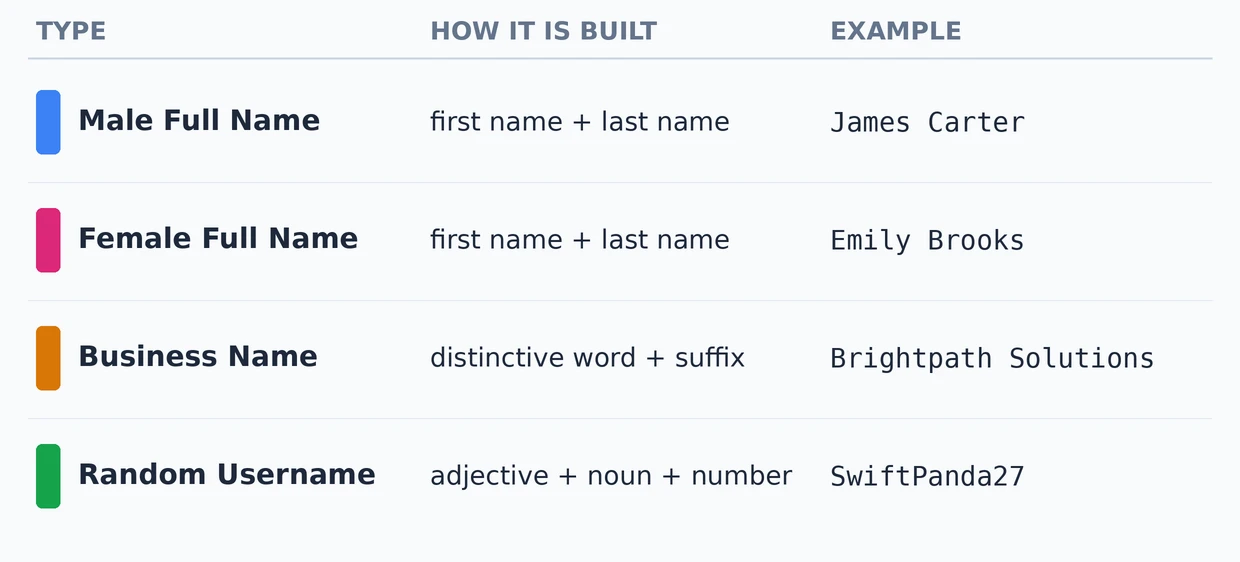
The pattern behind each type is the whole point. A business name sounds real because real companies use the same formula — a memorable word plus a category suffix. A username sounds available because adjective–noun–number combinations are far less likely to be taken than a single dictionary word. Writers have used invented names — pseudonyms — for centuries; the background is covered in Wikipedia’s article on pseudonyms.
How to Use the Random Name Generator
- Open the free Random Name Generator.
- Choose a name type — Male Full Name, Female Full Name, Business Name or Random Username.
- Set how many you want — from 1 to 20 names per click (5 is the default).
- Click “Generate Names” and note the ones you like. Click again for a fresh batch; nothing is saved between clicks, so copy your favourites before generating more.
When Are Random Names Useful?
- Test data. Forms, databases and app prototypes need realistic placeholder people long before real users exist. Generated full names fill signup flows, invoices and demo accounts without exposing anyone’s real details — and when the mockup needs a matching CV, pair them with a document from the free resume builder.
- Business brainstorming. A generated name is rarely the final answer, but ten quick combinations give you raw material to react to — far faster than staring at a blank page.
- Username ideas. When your obvious choices are taken on a new platform, an adjective–noun–number handle is distinctive, memorable and usually available.
- Examples without real people. Tutorials, presentations and documentation need names for screenshots and walkthroughs. Invented names teach the same lesson without publishing a real person’s name.
Before You Use a Generated Name for Real: Two Checks
The generator does not check whether a name is free to use — that part is on you, and it takes two minutes:
- Search it. Put the exact business name in a search engine. If an active company in your field already uses it, pick another — using it anyway invites confusion and trademark trouble.
- Check the handles. Look up the username and the matching domain on the platforms you care about. A name is only useful if you can own it consistently where your audience will look for you.
Treat generated names as candidates, not conclusions: the generator gives you options, the checks tell you which option is safe.
What Makes a Good Name? Four 10-Second Tests
A generated name earns a second look when it passes these quick tests:
- The say-it-aloud test. Say the name once, out loud. If you have to repeat or spell it for an imaginary listener, it will cost you that effort with every real customer and follower.
- The spelling test. Could someone type it correctly after hearing it once? Business names and usernames live or die on this — search and word of mouth both depend on it.
- The screenshot test. Picture it on a signboard, an app icon or a profile header. Short names survive small sizes; long ones get cut off.
- The numbers rule. Numbers help a username sound available and unique, but they weaken a business name — “Solutions” sounds established, “Solutions247” sounds like a placeholder. Let the generator produce both styles and compare them side by side.
Frequently Asked Questions
Are the generated names real people?
No. Names are randomly combined from separate lists of common first and last names. Any resemblance to a real person is coincidence.
How many names can I generate at once?
Between 1 and 20 per click, and you can click as many times as you like — every batch is brand new.
Can I use a generated business name for my company?
You can, but only after the two checks above: a web search for existing companies with the same name, and availability of the domain and social handles. The tool does not verify trademarks.
Are my generated names saved anywhere?
No. Generation happens in your browser and nothing is stored or transmitted. Copy any name you want to keep before you close the page or generate a new batch.
Why does the username always have a number?
Because adjective + noun + number is the pattern that produces memorable handles which are likely to still be available — plain words were taken years ago on every major platform.
Generate Your Names Now
You now know how each name type is built, where random names earn their keep, and the two checks that make one safe to use. Open the free Random Name Generator, pick a type, and take your next name — or your next twenty — in one click.